NOVIQ Practice.
The practice room, on its own.
Learning a song is a different job from playing it on the night, so it is getting an application of its own. Loop and slow down any song, take the guitar or the vocals out, and plug in and play along through a real amp capture - built on the same engine as NOVIQ, and kept off the laptop you take on stage.
Not available yet · In development - what follows is a preview of the current build, and may change before release

Learn any song off the record, at your own speed
Drop a song in and it is yours to take apart: see it, loop it, slow it, mark it up - and keep the stretches you are working on as exercises that remember how fast you got them.
A waveform you can aim at
Zoom right in and hold Shift to drag a loop across the exact bars you want. Set A and B from the transport, or press L to take the loop from the top - the press you make more than any other when working a passage.
- Slow down to any speed without changing pitch
- Markers with notes - “closed hand on this turnaround”
- Save a loop as a named exercise, with your best tempo
- Cut a section into a song of its own
- The song's key and tempo, worked out for you
- A click that lands on the recording's own beats
Take the guitar out - or the vocals
A separating model splits the song once, on your machine, and keeps the result. Then each part gets its own fader: down to a whisper under you, or solo it to hear every note.
Save it as it sounds
Found the arrangement you want to play to? Save the whole song with your faders applied, or export the guitar or vocals alone to take anywhere.
Key and tempo, detected
Every song shows its key beside it - and says so honestly when it could be either of two. The tempo is measured from the recording, so the click sits on the band's own beat.
The tools you used to open five apps for
All of them one click from the song you are working on.
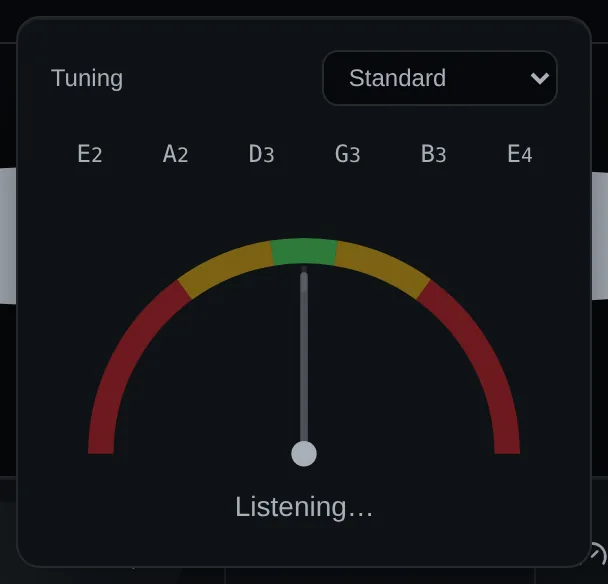
Chromatic tuner
Straight from the microphone or your interface. Pick Drop D or another tuning and it shows six targets, measuring the string you are actually tuning.
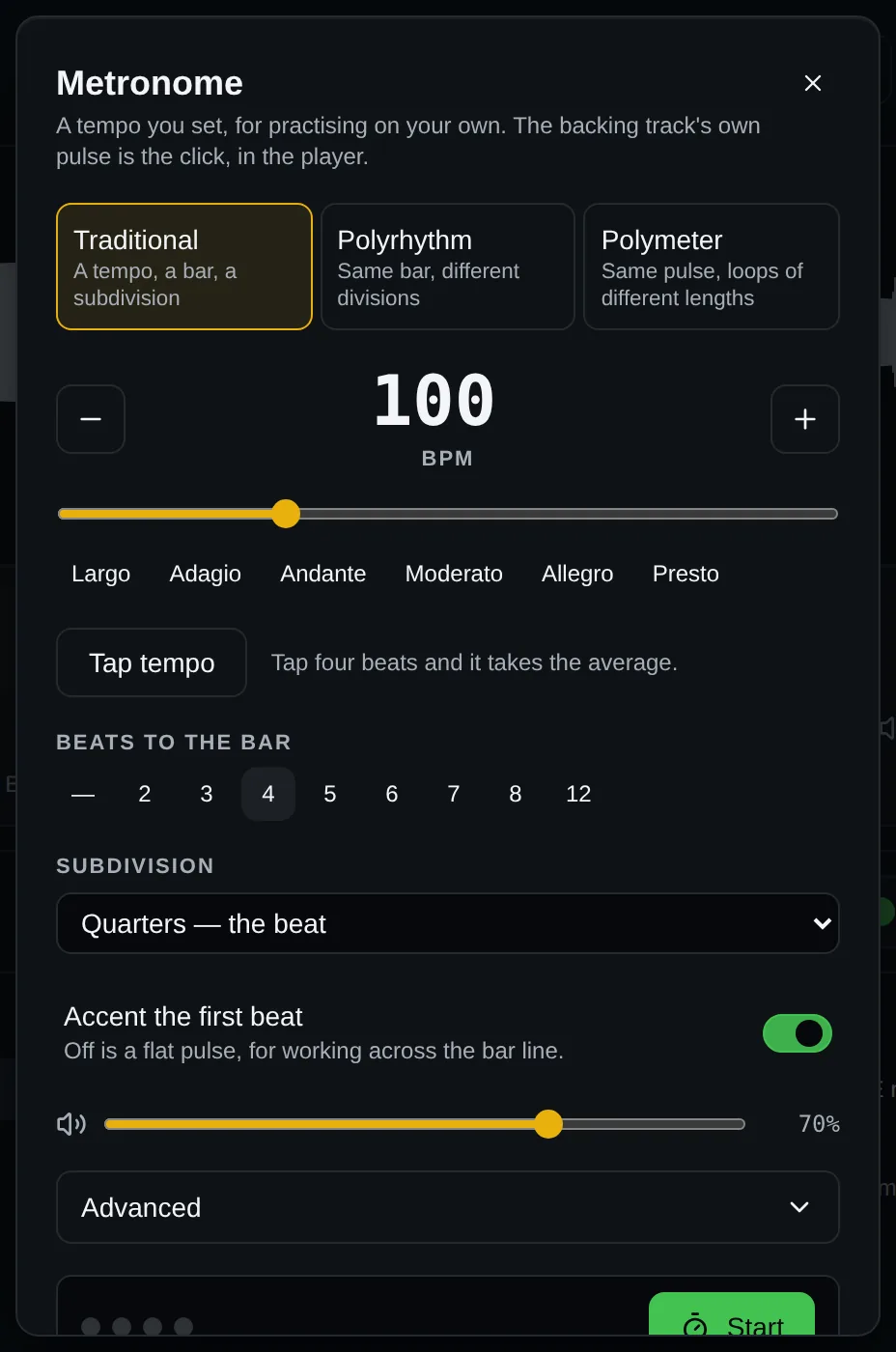
A metronome with three modes
Traditional with subdivisions, polyrhythms like 3 against 2, and polymeters like 7 over 4. Tap tempo, accents, and a tempo that climbs by itself.
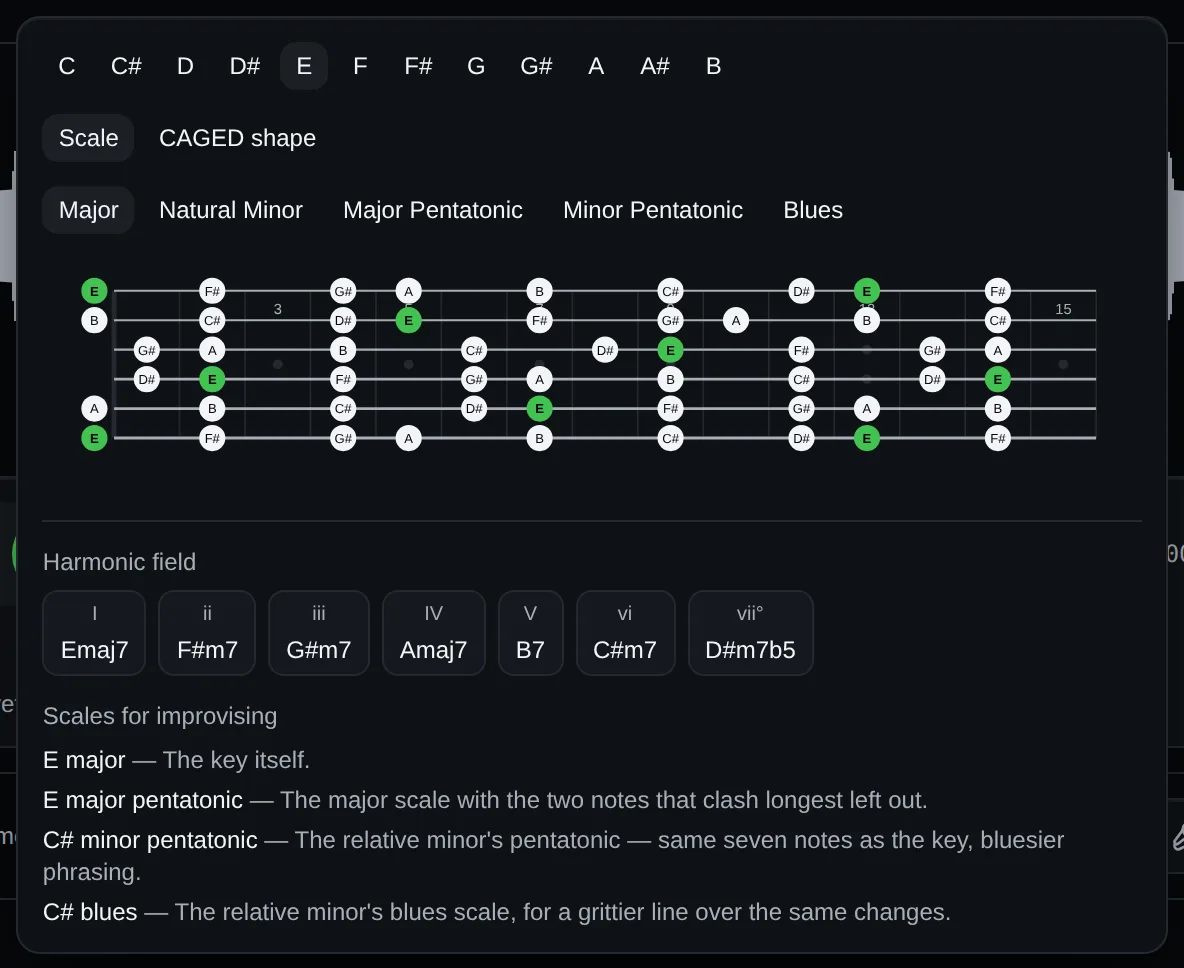
Fretboard & harmony
Any scale or CAGED shape, lit up on the neck. Pick a key and see its seven chords, plus the scales worth reaching for over them.
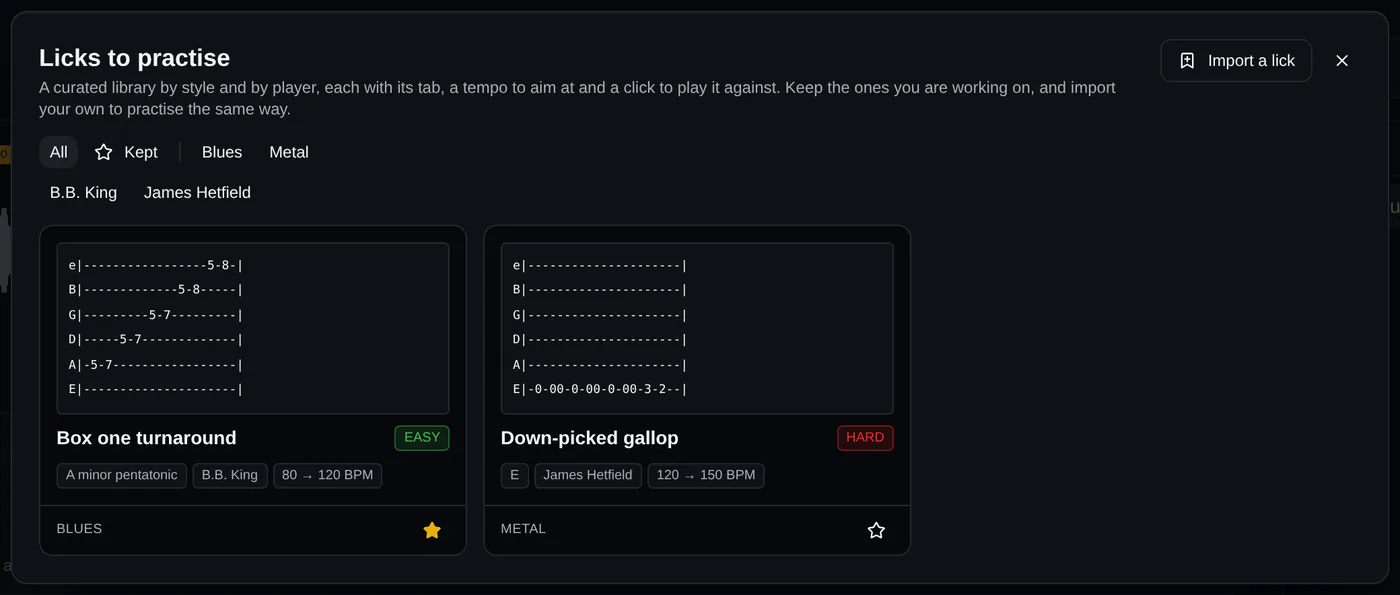
A curated licks library
From the blues to metal, filed by style and by player. Each lick has tab, a difficulty, a tempo to aim at, and remembers the fastest you've played it clean.
Plug in. Sound like the record.
Play along through a real amplifier capture instead of a thin, dry DI - without leaving the song you're learning or opening another program.
A whole signal chain, in the order you want it
Load any Neural Amp Modeler capture, put a captured pedal in front of it and a speaker cabinet impulse response after it, then drag the stages into any order.
- Match loudness, so choosing between captures is about tone
- Save the whole rig as a preset - chain, gate, EQ and captures
- Shares the sound card with the song, at the song's rate
- Rate, latency and dropouts shown while you play

Open the app, say how long you have, play
Fill in one page about yourself once. After that, every session is built for you - the right exercises, in the right order, for the time you actually have today.

A plan that knows who it's teaching
Where you are, the music you want to play, the players you want to sound like, the songs and solos you're stuck on and the days you can practise - turned, with your own practice log, into today's session, with the reason for every part written underneath.
- Each exercise says what it trains and what to listen for
- Spaced repetition brings back what you've left too long
- “Don't like this one” swaps it out for good
- Tempo logged per exercise, so progress is a number
- An optional AI coach - off until you switch it on
Two jobs, two applications
The practice room used to live inside NOVIQ. It has moved out, on purpose.
The stage carries only the show
NOVIQ, the app you take on stage, keeps just what a show needs - and never needs the internet to play.
Its own library and settings
NOVIQ Practice will have its own name, icon, library and settings, and can run beside NOVIQ without touching your show.
The same engine underneath
It plays through the same audio engine as NOVIQ, so every fix to one reaches the other.
Want to know when it's out?
NOVIQ Practice isn't available yet. Drop us a line and we'll tell you when it is - and in the meantime, NOVIQ is ready for your next show.